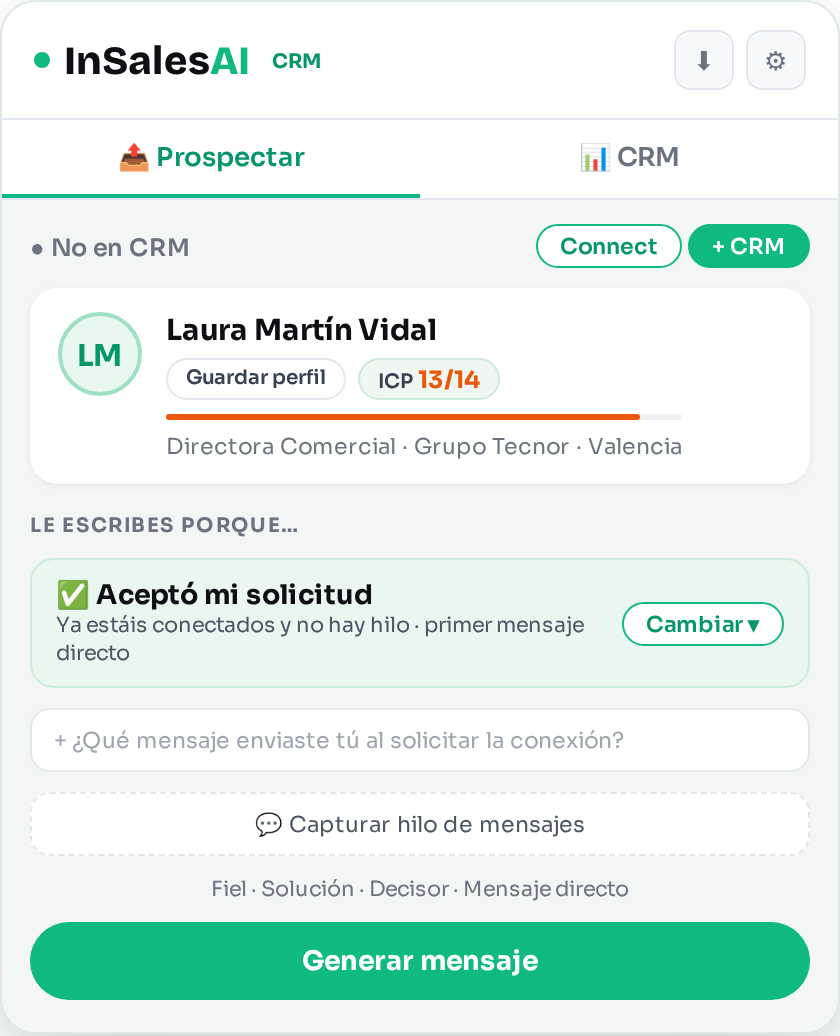
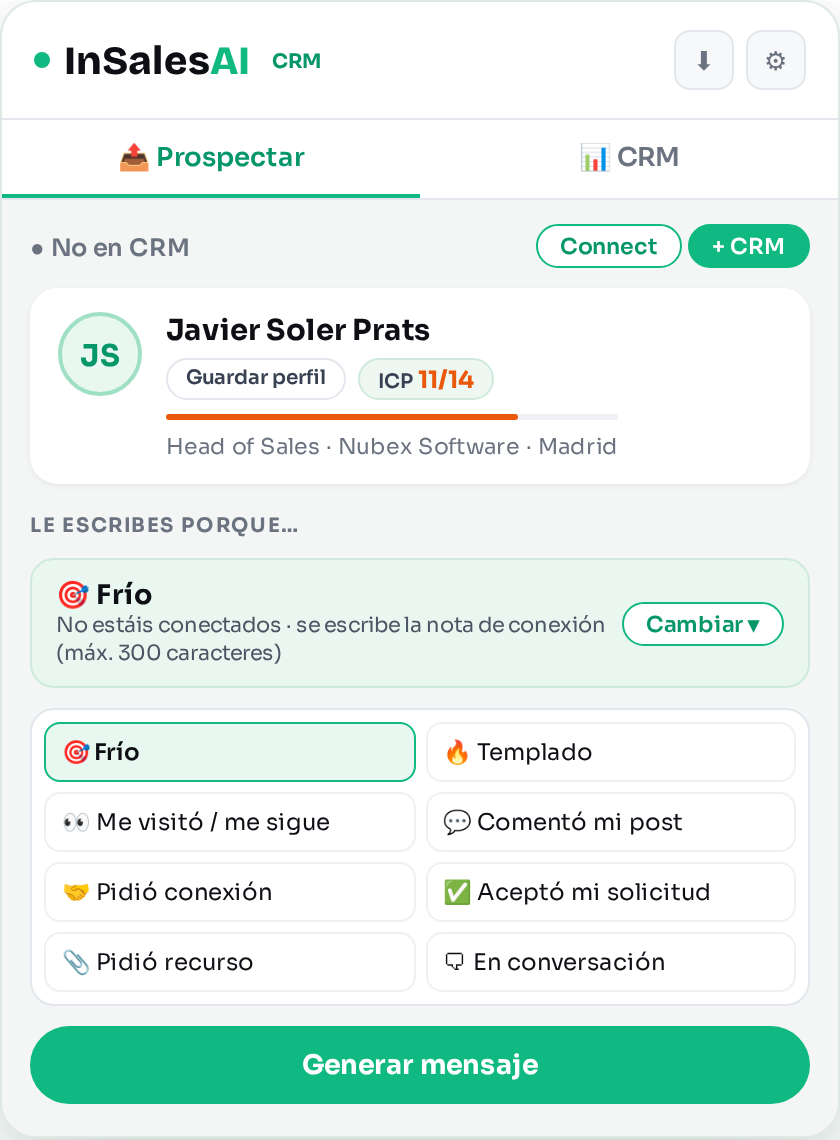
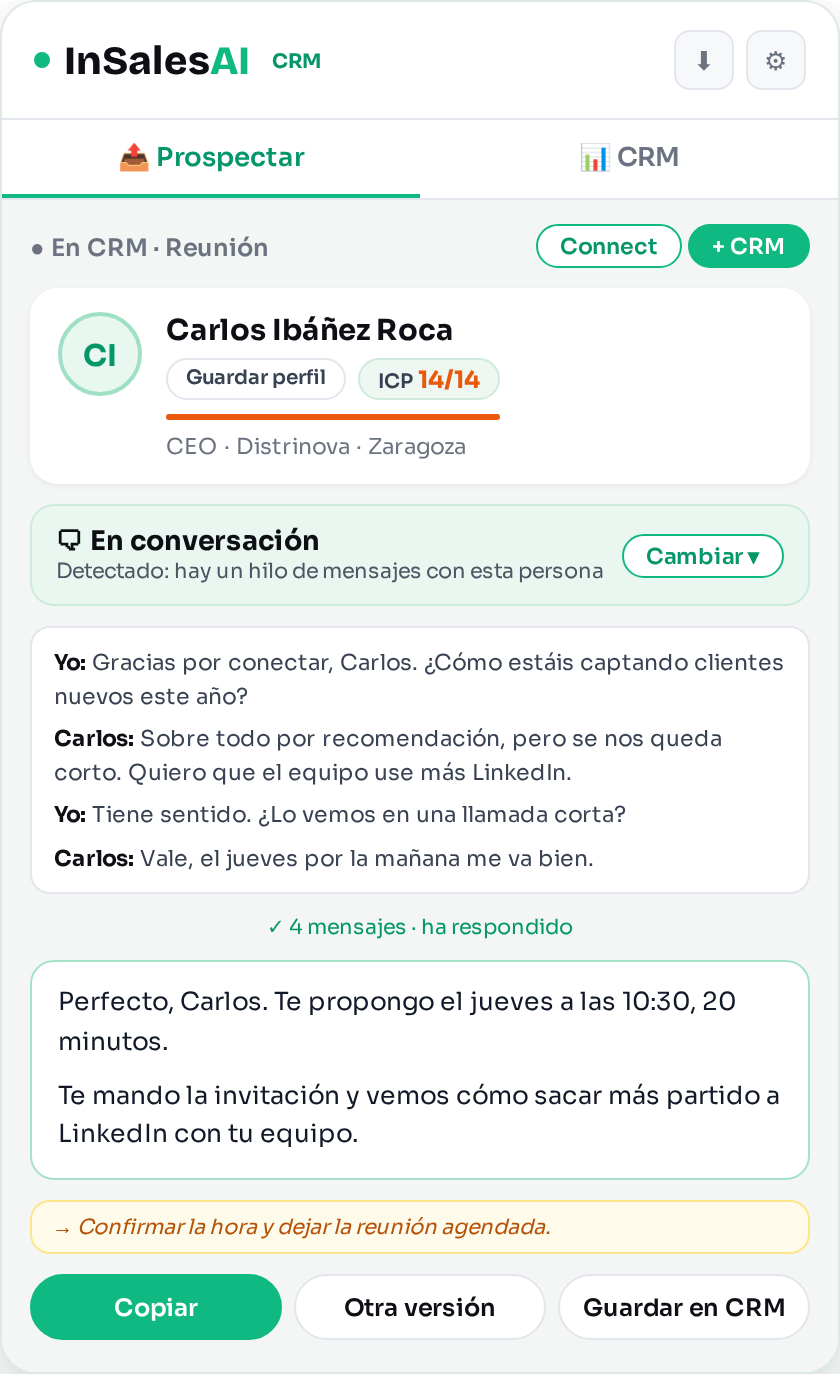
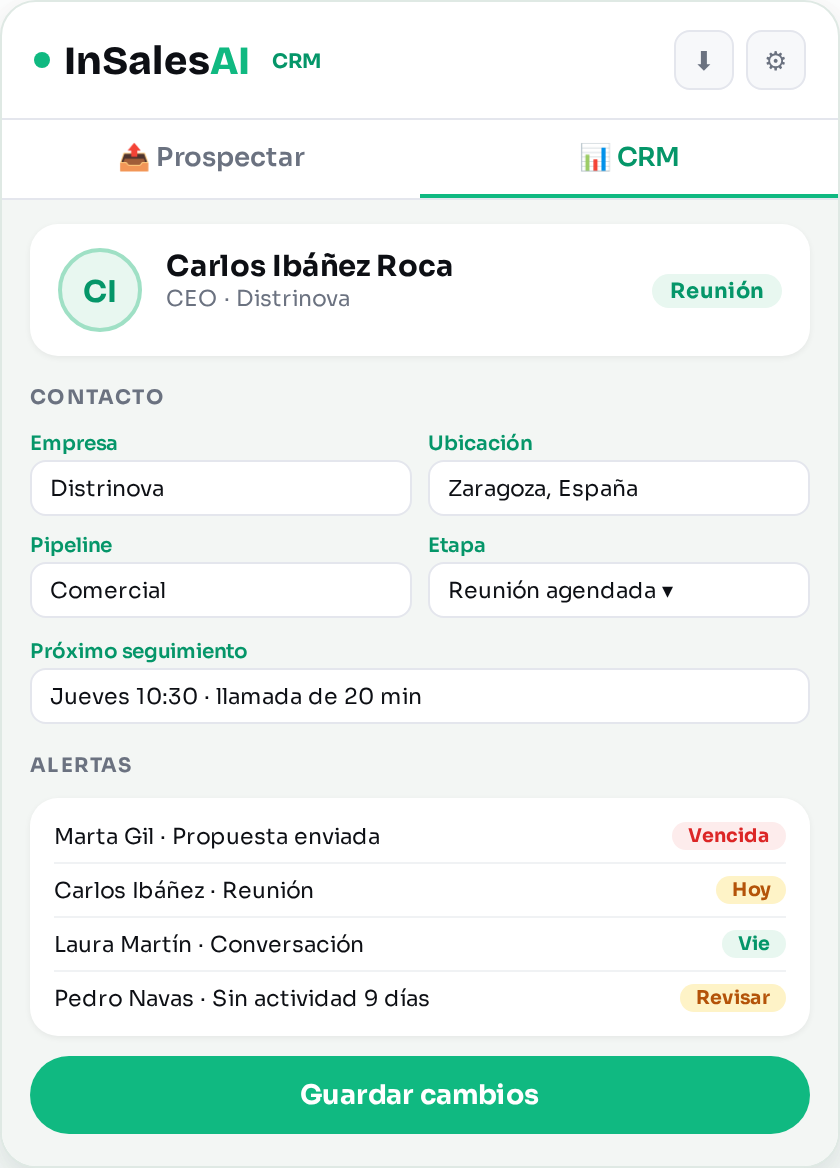
The extension in 4 screens
Getting started
How do I sign up?
Create your account at insalesai.com/acceso. In about 5 minutes the AI prepares your settings from your LinkedIn profile. The step-by-step guide (in Spanish) is at How to sign up.
I forgot my password
Go to password recovery and you will receive a link by email. You can also use the "Forgot your password?" link on the extension's sign-in screen.
Do I need my own AI key?
No. AI access (OpenAI) is included and we manage it for you.
Does it work on several computers?
Yes. Your settings load when you sign in on any Chrome where you have the extension.
Where is the option to comment on posts?
Commenting is done with Commentli, our extension dedicated to comments. If you commented with InSalesAI and want to take your style (tone, writing rules and what it has learned from you), write to us and we will do the import for you.
How do I change my settings?
In the extension, open the ⚙ settings and press Edit on the web: your settings open with your session signed in. Save, then press Sync in the extension. For what changes where, see Changing your settings (in Spanish).
Where do I put my calendar or the resource I share?
On the web, in the section Your links and your goal. The resource can be a website, a PDF, a diagnostic or a demo. Then press Sync in the extension and you will find them under "Your links", with a button to copy them.
Daily use
What is the signal ("why you are writing")?
It is the reason you are writing: cold, warm, they viewed your profile or follow you, they commented on your post, sent you a connection request, accepted yours, asked for a resource, or you are already in a conversation. The panel suggests one based on what it detects, and you can change it with "Change ▾" if needed. The message adapts to it.
Why does it sometimes write a short note and other times a message?
If you are not connected, it writes the invitation note, which LinkedIn limits to 300 characters (the counter warns you, and it shortens the note if it goes over). If you are already connected, it writes a direct message.
How do I reply to a conversation?
Press Capture thread. The panel opens the conversation with that person, reads who said what, and the signal changes to "In conversation". The reply follows the point where you actually are.
What is the difference between Faithful and Free mode?
Faithful uses your templates and only fills in the gaps with the profile's data. Free writes from scratch using your settings. The panel remembers your last choice.
How does it learn my style?
When you edit a message before copying it, the difference between what the AI suggested and what you wrote is stored. After enough edits, you will receive style-rule suggestions by email that you can apply with one click.
Does the extension send messages for me?
No. It generates the text, you review it, copy it and decide whether to send it. It never acts on your LinkedIn account by itself.
CRM
The CRM tab appears locked
The CRM is activated with the CRM license. Press Book a demo on that tab or request a demo here and I will write to you to activate it.
How do I save a contact?
With the profile open, press Save to CRM under the message. You will see "Saving…" and then "✓ Already in CRM". If something fails, a notice lets you retry.
Where do I see all my contacts?
In the CRM tab of the panel and in the web view ("CRM web" in the extension header), with pipelines, stages, follow-ups and alerts.
Something is wrong
It does not capture the profile
Check that you are on an address like linkedin.com/in/name. If the profile was open before you installed or updated the extension, reload the page (F5) and open the panel again.
It says we are not connected, and we are
Reload the profile with F5 so the extension reads it again. If it persists, send me the profile link and I will check it.
Error when generating a message
It is usually a brief interruption with the AI. Wait a few seconds and press again. If it continues, write to me.
Your privacy
🔒 Your data, for you
The profiles and contacts you save are yours and are only used to provide the service.
🤖 AI included
No keys to manage. Texts are generated with OpenAI.
🛡️ Nothing automatic
The extension does not send or publish anything on LinkedIn on its own.
🚫 No advertising
No advertising cookies or tracking pixels.
All the details in the privacy policy.
Can't find what you need?
Write to me and I will reply within 24 hours on working days.
miguel@insalesai.com Book a demo